-
Reducing Fake Accounts in Team Communication Platforms With ID Verification

Team communicative platforms have already become the staple of the contemporary workplace as they unite the workers, freelance workers and partners in all corners of the world. But one issue that is becoming a significant problem with these platforms as they are used more is the problem of fake accounts. These unscrupulous users are able to interfere with valuable information, disrupt operations, and cause security gaps that expose organizations to risks.
False accounts are not only irritating. Misinformation, accessing confidential data or phishing can be done using them. Even in systems that use several teams and other external partners, it can be very important even when one affected account is compromised. The importance of having a safe atmosphere in the communication between teams is thus a crucial factor in team productivity, trust, and the safety of operation as a whole.
The Reason Why Fake Accounts Can be a Threat to Teams
False profiles are detrimental to cooperation since they cause confusion and a possible risk of being targeted by a malevolent user. The staff will be reluctant to post confidential information since they are aware that the platform has unidentified users. In the long run, this decreases trust and may lower participation, impacting the effectiveness of the communication platform.
Moreover, unconfirmed accounts also complicate the monitoring of behavior and imposing policies on the platform administrators. Companies can become exposed to data breaches, legal issues and reputational losses when fraudulent actions remain unnoticed.
The Role of ID Verification
One of the solutions to reduce the risks of fake accounts is ID verification. By authenticating users during the sign-up or onboarding process, organizations can ensure that all members of the platform are who they claim to be. Innovative ID verification methods, especially those powered by artificial intelligence, can evaluate multiple data points within seconds to detect suspicious or fraudulent identities effectively.
Identity verification based on AI does not only decrease the number of fake accounts created but also enhances the process of onboarding. Authorized users are able to access the platform fast, whereas the risky sign-ups are highlighted to be reviewed again. This is the most effective method of balancing security and convenience so that teams can effectively communicate and at the same time not jeopardize safety.
Adopting Checking Without Killing Workflow
Organizations should consider adopting ID verification measures that are not frictious to people. When the processes are too complex or too intrusive, it will aggravate the legitimate members and reduce their interest and collaboration. Companies can help secure their platforms by incorporating smooth verification solutions in the current processes without making their platforms clog with additional processes.
Shufti, an example of AI-powered identity verification tools, enable organizations to verify the identity of users within a few seconds and keep their security at a high level without delaying the onboarding process. This gives the benefit that only authenticated users would get to join team discussions, file sharing, and project management, without compromising the positive user experience of legitimate team members.
Verified User Environment Advantages
Organizations that have put in place effective identity verification have a number of benefits. They majorly minimize the number of duplicate accounts, provide security to sensitive data, and create an environment of trust within the team members. Verified user environments also reduce administrative control, and meanwhile the moderators and managers can concentrate on valuable interaction and not policing fraudulent accounts.
Moreover, trusted platforms will be able to give more accurate information about user behaviour and working patterns as the information does not represent fake users, but actual ones. This allows organizations to make decisions, streamline the work processes, and enhance the productivity of the teams in general.
Conclusion
The dangers of false accounts cannot be overlooked as team communication platforms are increasingly becoming a part of the contemporary workplace. Introduction of AI-based verification of identity is an effective solution. Organizations ensure the security of their data, preserve their trust, and provide a safe working environment by ensuring the authenticity of every user. Such solutions as Shufti show us that the state of the art technology in verification can both protect online communication and at the same time have a smooth and enjoyable user experience.
-
How AI Is Revolutionizing Unstructured Data Extraction?

Nowadays, organizations are overwhelmed with data provided by a host of sources: emails, PDFs, images, videos, chat logs, social media posts, etc. Though the majority of this information is unstructured, i.e., it does not have a pre-defined structure that can be processed with the help of traditional databases or software.
IDC states that the unstructured part of data in the world is more than 80 percent, and it is one of the biggest problems to solve in the process of digital transformation. That is where Artificial Intelligence (AI) comes in, and the manner in which businesses extract, interpret, and use data concealed within this complexity.
AI has transformed the processes of data extraction and made it quicker, more intelligent, and significantly more precise. Organizations are now able to transform raw and unstructured data into valuable information, which is used to make business decisions, through technologies such as Natural Language Processing (NLP), Machine Learning (ML), and Computer Vision.
The Challenge of Unstructured Data
Unstructured data is represented in different forms as opposed to structured data, which is organized in neat rows and columns, such as emails, invoices, contracts, handwritten notes, and even voice recordings. It is good data with useful information, and retrieving it manually is time-consuming, not to mention that it is prone to errors. Over the decades, companies have been using manual data entry or simple text recognition software that did not have the ability to interpret context or semantics.
Traditional Optical Character Recognition (OCR) systems, such as those, would only be able to extract text that was visible but were not able to make sense, recognise relations, or process elaborate document layouts. It restricted the size of data that people could extract, particularly in large industries such as healthcare, finance, and legal services, since accuracy and speed are invaluable.
Enter Artificial Intelligence
AI has entirely transformed the data extraction environment by integrating various technologies to interpret and comprehend the information similarly to humans- but in a machine-like speed and magnitude. The current AI-based systems are able to scan documents, understand the context, extract important details, and even render a judgment regarding the relevance of the information. These capabilities are also being integrated into platforms like AI-powered LMS, enabling smarter content organization, automated information processing, and improved learning experiences.
Natural Language Processing (NLP) enables AI to comprehend human speech, identify objects (such as names, dates, and financial figures), and analyze meaning or mood. Meanwhile, Machine Learning algorithms, after a while, learn continuously, and with time, they become more accurate. Computer Vision is an additional layer as it allows systems to analyze images, identify patterns, and even read handprints or scanned documents.
How AI Enhances Unstructured Data Extraction
Unstructured Data Extraction is at the core of the transformation of AI, where algorithms extract and store valuable information in various data sources automatically and do not need human involvement. AI models are dynamic and can adhere to new data formats and variations, unlike rule-based extraction methods.
Indicatively, AI applications may be used in the financial sector to analyze various invoices (thousands) of different vendors and identify necessary fields such as invoice number, date, and total amount, even though each invoice in the financial sector may have a unique design. AI systems in healthcare can process medical data in patient records, radiological reports, or handwritten doctor notes, making the clinical documentation more accurate and efficient.
It is also through AI that multi-format understanding is possible. It can handle text, speech, and graphics at the same time and cross-connect similar information in any format. An example of this is to use a customer support system that will combine emails, chat logs, and recorded telephone conversations to detect and forecast customer satisfaction on a recurring case basis.
The Role of Advanced AI Technologies
Several AI developments have enabled unstructured data extraction as never before:
- Deep Learning: Neural networks recognize patterns in massive datasets, enabling precise text, image, and speech analysis.
- Transformer Models: BERT and GPT are the best tools for contextualizing and finding more accurate information based on complex language structures.
- Computer Vision: Enhances document analysis by recognizing images, tables, signatures, and diagrams.
- Automation Integration: AI-based extraction tools can connect directly to workflow systems like CRMs, ERPs, or database software for SMBs, automatically updating records without manual input.
All these technologies allow organizations to extract useful intelligence out of their unstructured data ecosystems, which was both very difficult several years ago.
Speed, Accuracy, and Scalability
The extraction tools that are based on AI are neither as precise nor as fast as human teams. Jobs that were once performed in hours or days can now take a few seconds to be done now. More to the point, AI models can be enhanced when exposed to new information, minimizing the error rate and increasing consistency as time progresses.
Artificial Intelligence (AI) automation does not just increase the speed of processes, but also scales up easily. If an organization is processing hundreds or millions of documents, AI can do all that with minimal human supervision. For creative teams handling visual content at scale, AI can also generate and manage AI image prompt ideas, helping streamline large volumes of design or marketing assets with the same efficiency and automation benefits. This scalability comes in handy, especially in areas such as insurance, banking, and government agencies, where there are huge amounts of complex data to handle.
Real-World Applications of AI in Data Extraction
The influence of AI on the extraction of data is apparent in industries:
- Finance: AI can be used to extract and verify data on invoices, receipts, and contracts by banks and accounting companies, saving them time and minimizing the probability of fraud.
- Healthcare: AI systems are used to interpret clinical histories and pathology reports, and the history of a patient, to aid medical research and enhance diagnostics.
- Legal: Legal firms are using AI to go through contracts, case files, and compliance documents, spending much less time doing it manually.
- E-commerce: Retailers use AI to get insights into customer feedback, product reviews, and social media discussions to improve product strategies.
- Manufacturing: AI-powered tools are employed by companies to derive insights about the maintenance logs and sensor data, anticipating potential equipment failures before they occur.
-
Making Chat More Personal: How Apps Learn What You Like

In our very digitalized world, communication apps like WhatsApp, Messenger, Telegram, and many more are no longer just tools to chat through. They have smartified, as that is, by understanding the user at intuition. This helps them give a more personal and pleasant experience to whoever uses them. But how do these applications “learn” what the users like? What makes these technologies and techniques work so that chatting becomes a personal thing? This project attempts to dive into how communication applications learn user preference and behavior so they can provide a custom chat experience designed for them.
What Does Personalization Mean for Communication Applications?
As envisioned by mobile app developers, personalization will reshape things to either look or function as per the user’s wants or needs. In communications apps, personalization can imply that the app makes subtle modifications for each user depending on how that user uses it. In some instances, it brings a few favorite contacts into focus on the top, suggests preferred emojis or stickers, or pretty much customizes chat background all by itself with the subtle touch of the user. Above all, the experience should allow easy, quick, and fun conversations. The app feels personalized when it knows who the user is and cares for their needs.
So, why is personalization important?
- Better User Experience: When applications are personal, users love to use them. It’s like having a friend who understands your likes and dislikes.
- More Engagement: Personalized features make sure that users come back because it feels useful and relevant.
- It’s Time Saving: A user can communicate faster when the favorites list or commonly used features are readily available.
- Competitive Advantage: In a market full of apps that resemble each other, personalization serves as a differentiator and keeps users.
- Revenue Growth: Personalized advertisements, offers, or features are in-app purchases and profits for businesses.
That is why tech companies put a lot of manpower into developing smart personalization features for an app.
How Apps Know Your Preferences?
Apps collect and analyze so many data to personalize chat experiences using cutting-edge technologies such as Artificial Intelligence (AI) and Machine Learning (ML), which is why solutions like WhatsApp chatbots can deliver more relevant, timely, and context-aware conversations at scale. And here is a stepwise record of what is done:
1. Data Collection
Regarding users, apps collect varied data such as:
- Chat behavior: How often do you message? Whom do you mostly chat with? What kind of media do you share?
- Interaction data: Are there particular stickers, emojis, or gifs you send more often?
- Search and browsing history: Which contacts or groups have you searched for?
- Device data: At what time of the day do you usually use the app? Location? Device type?
- Feedback could be considered likes, reactions, or any explicit preferences.
This data is usually collected with the user’s consent and then kept private and secure.
2. Building User Profiles
The collected data is then tied together to yield a user profile — basically a digital summary of your habits and preferences. This profile is constantly updated as you go through the day with the app.
For example, maybe mornings are spent chatting with family, and evenings are for friends-the app maps out such behavioral patterns in a chart. It does not stop there-governed by AI and data analytics, it records what kinds of contacts or groups are favored at various times, as well as the most common features used during the day, like voice notes or stickers. Tools such as Airtable for business exemplify how structured data management can streamline the collection and analysis of behavioral insights in a similar, organized way.
These patterns eventually help the app in knowing the time when a user activates and alternate notifications, suggested replies, and chat layouts correspondingly. Based on such analysis, the app will promote family conversations in the mornings, place friends on-an-easy-access basis during evenings, propose emojis or reminders at the right time-all aimed for smooth and personal interaction.
3. Using Machine Learning and AI
Machine learning algorithms study user profiles and data patterns. Algorithms can:
- Predict who you would like to talk to next.
- Suggest emojis and stickers based on your previous use.
- Recommend relevant content like news or invitations to events.
- Change notification settings to fit your activity.
From this point, artificial intelligence makes the app learn continuously, updating itself with new behavior to add improvements to its recommendations. Similarly, an AI coding tool like Lovable or Replit learns from code patterns, user prompts, and feedback to automate repetitive coding tasks and improve overall software personalization and efficiency.
4. Real-Time Adaptation
Realtime data is used in apps whenever there is an instant update corresponding to changes in your activity due to which the app might suggest to disable notifications or even highlight certain messages when you have been added to a new group conversation. These apps utilize instant data streams to monitor the user’s action as it happens–such as sending or receiving messages, joining groups, or reacting with emojis.
Then, within seconds, leveraging this real-time feedback loop, the application changes the interface, customizes notification controls, and dynamically filters message options so that users are afforded smooth, relevant experiences taking their preferences and needs into account at that very moment. For example, when you are actively chatting, the app can silently prompt you to mute notifications during busy hours or pin important conversations on top so that you never miss what is most important to you.
Personalization in Communication Apps of Declared Fame
WhatsApp
- Someone most may sometimes appear on the very top of the chat list.
- Should one be typing out words, stickers get suggested.
- Status update depending on the interaction pattern.
Messenger (Facebook)
- Prioritizes direct messages from good friends.
- Chat color customization and emoji reactions are allowed.
- AI on its own suggests smart replies.
Telegram
- Chat folders can be created to classify groups and contacts according to usage.
- Suggests bots and channels according to your interests.
- Custom themes for UI personalization.
Technologies Behind Personalization
Artificial Intelligence (AI)
AI studies your data and predicts preferences. It provides the “brains” behind personalization, enabling apps to automate decisions and offer tailored suggestions.
Machine Learning (ML)
This one’s help is provided for apps to understand text communication. For example, having recognized the mood in your messages, an app might suggest appropriate emojis or replies.
Natural Language Processing (NLP)
NLP helps apps understand text-based communication. For example, recognizing the mood in your messages and suggesting appropriate emojis or replies.
Big Data
Through use of big data technologies, communication apps can efficiently manage and analyze an enormous amount of user information.
Cloud Computing
These technologies execute their processes on cloud servers so that apps can process data fast while updating the experience in real-time on your phone without injecting some slow API.
The Personalization Loop: How Every Single App Gets Better
Personalization by apps does not happen once and gets frozen. They follow a continuous loop:
- The Personalization Loop: How Every Single App Gets Better
- Personalization by apps does not happen once and gets frozen. They follow a continuous loop:
- Data Collection: Keep gathering freshly updated user data.
- Analysis: Let AI/ML analyze this newly gathered data.
- Adaptation: Let the process change the experience on the fly.
- Feedback: Let the process learn through user reactions from the changes.
- Refinement: Repeat the cycle in order to provide better personalization.
The learning loop makes apps smarter over time and quickly adapts to what works for any given user.
Benefits to Users
- Personalized chat lists and notifications.
- Intelligent search and message suggestions.
- Easier ways of reaching features used most.
- Adapted media recommendations.
- Preferred privacy interfaces based on habits.
- Privacy Considerations and Security
Privacy Considerations and Security
While personalization contributes greatly to good experience, the app should respect the user’s privacy. An app should always:
- Source permission from the user to collect very detailed data.
- Protecting sensitive data in case of a breach.
- Give control to users as to what they want to share, or destroy.
- Abide by legal rights and standards such as GDPR to guarantee its fair implementation.
Users should be aware of and watch, or change the privacy policies, to which they are comfortable.
Trends in the Future of Chat Personalization
Looking into the future for communication apps, we expect to have:
- More Advanced AI-Assistant Help for Crafting or Summarizing Messages.
- Emotion recognition to set proper tone and responses.
- Personalization across platforms to create a seamless experience across chat, email, and social media.
- More voice and video personalization take place.
- Augmented reality (AR) to customize virtual meetings.
Final Thoughts
The personification of communication apps by IT services would enrich casual chatting. They use the highest of technologies to learn from users and mold applications accordingly in real time, to make the communication faster, fun, and efficient. When combined, AI, ML, and big data create a simulacrum of a similar world in which every party represents a one-on-one conversation-with a little bit of personalism included. As the users that demand the smartest applications entertain us with the concept behind implementation of chat apps, especially by IT services firms seeking higher personalization, the living environment surrounding our daily discourse begins to be appreciated by us and also teaches us to hold privacy and trust dear in this era of digital transformation.
-
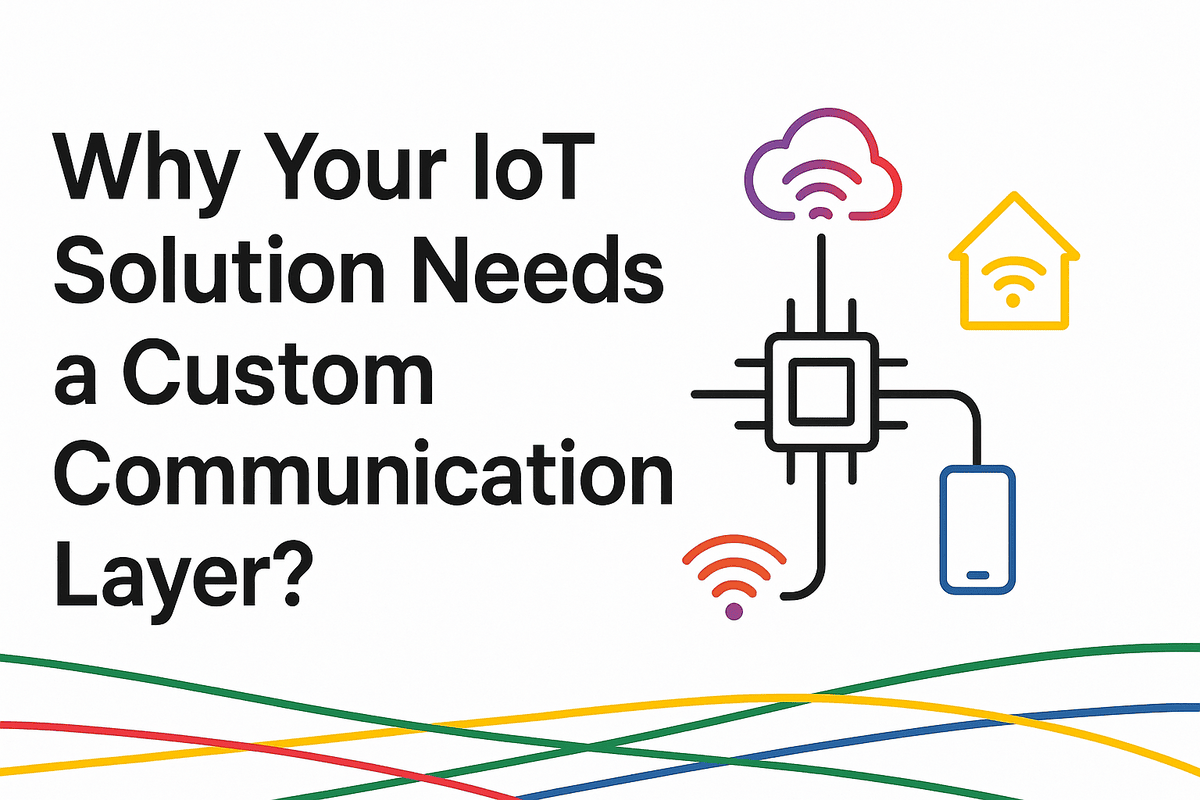
Why Your IoT Solution Needs a Custom Communication Layer?
The Internet of Things is one of the emerging and high-scope technologies in the current era. IOT is used widely in home appliances, healthcare, retail, crypto, and many more. It is changing every industry with the autonomous structure.
Recent market reports say that by 2030, there will be more than 29 billion IoT-connected devices. This shows how much more people are relying on these systems to improve efficiency, productivity, and decision-making based on data. However, as the technology is changing rapidly, customization of the communication layer of IOT is playing a key role. Customizing your hardware, sensors, and cloud infrastructure makes your platform grab much attention. This is the “nervous system” of IOT, and lets platforms share the data easily. This post’s main idea is to let you know why customizing the communication layer is a solution to improve performance, security, and scalability. Also, if you are looking for a reliable partner to build your communication layer, then we, SoluLab, are here to aid you in each step.
What Is a Communication Layer in IoT?
A custom communication layer, when developed by an expert IoT Development Company, is built specifically for your IoT needs, business goals, and performance targets.
- Device-to-Device communication (D2D): Sensors and actuators share data locally.
- Device-to-Gateway communication: Devices send information to a central hub for processing.
- Device-to-Cloud communication: Edge devices transfer data to cloud platforms for deeper analysis.
This layer also chooses the right protocols like MQTT, CoAP, HTTP, LoRaWAN, Zigbee, or BLE. It formats data, ensures devices work together, and keeps communication secure. While ready-made protocols exist, they are too generic. A custom communication layer is built specifically for your IoT needs, business goals, and performance targets, often implemented through IoT app development services to ensure seamless device connectivity and efficient system performance.
The Limitations of Generic Communication Protocols
Standard protocols like MQTT or HTTP are good but not perfect. They often fail in specialized IoT environments.
Overhead & Latency Issues
Generic protocols carry unnecessary data, creating delays. In industries like automation, even milliseconds matter. Delays can cause costly disruptions.
Inflexibility with Unique Use Cases
IoT use cases differ widely. A farm sensor and a hospital monitor have very different needs. One-size-fits-all protocols can’t always adapt.
Security Gaps
Generic frameworks rarely address specific device risks. They may also fail to meet strict regulations like HIPAA or GDPR.
Scalability Concerns
As networks grow, generic protocols struggle with device onboarding, authentication, and efficient routing. This slows growth and reduces reliability.
Energy Inefficiency
Many IoT devices use batteries. Standard protocols often drain power fast, reducing device lifespan and adding maintenance costs.
Why a Custom Communication Layer Is Essential?
Building a custom communication layer changes how IoT systems perform. Let’s see why it matters.
1. Optimized Performance & Low Latency
Custom layers remove extra features and focus only on what’s needed. For example, a healthcare device needs real-time updates. A custom lightweight protocol ensures vital data travels faster than background information. In factories, custom routing reduces machine delays, avoiding costly downtime. If you plan to build IoT solutions with such precision, you’ll need to hire developers who specialize in custom protocol design and system optimization.
2. Enhanced Security & Compliance
Security should be built into communication, not added later. Custom layers allow stronger protection like:
- End-to-end encryption built for your devices.
- Hardware-based IDs or blockchain authentication.
- Compliance features for HIPAA, PCI DSS, or ISO 27001.
This reduces attack risks and builds trust with users and regulators.
3. Scalability for Large Device Networks
IoT systems often grow fast. A custom communication layer supports large networks with:
- Smarter load balancing.
- Automated device onboarding.
- Optimized data routing.
This ensures performance stays stable as you scale from hundreds to thousands of devices.
4. Interoperability Across Devices
IoT involves devices from many makers, each with unique standards. A custom layer connects them smoothly. For example, smart city systems combine traffic, energy, and safety devices. A custom bridge ensures smooth communication, avoids vendor lock-in, and normalizes data.
5. Energy Efficiency & Extended Device Life
We all know batteries store energy, but as the technology takes new turns, once they are paired with sensors scenario changes. A custom layer can:
- Limit transmissions using adaptive duty cycling.
- Prioritize low-energy protocols like BLE or NB-IoT.
- Use compressed formats to save bandwidth.
This extends device life, cuts costs, and supports sustainability.
6. Cost Efficiency
A custom communication layer lowers costs long-term by:
- Using less bandwidth.
- Reducing cloud expenses through local data processing.
- Avoiding downtime with reliable and fast communication.
The savings grow as the IoT network expands.
Real-World Examples
Custom communication layers already power many industries.
- Tesla: Cars use custom communication for real-time updates, monitoring, and autonomous features. Generic protocols cannot handle this scale.
- Smart Agriculture: Low-energy custom layers allow remote sensors to transmit soil and crop data even without strong networks.
- Healthcare IoT: Patient monitors rely on secure, custom protocols designed for sensitive medical data.
These cases show that customization is not optional. It is essential.
Steps to Build a Custom Communication Layer
Here is a clear roadmap for creating one:
- Assess Requirements – Identify needs for latency, security, energy use, and compliance.
- Select Base Protocols – Start with MQTT, CoAP, or proprietary frameworks.
- Design Data Models – Keep payload structures light and specific.
- Embed Security – Add encryption, authentication, and compliance early.
- Optimize for Scale – Plan for provisioning, load balancing, and interoperability.
- Test & Validate – Run simulations and stress tests with large networks.
- Iterate Continuously – Update the design with new regulations and device needs.
Partnering with an experienced IoT development company ensures each step is handled with precision.
Future Outlook: Communication Layers in Next-Gen IoT
As 5G, edge computing, and enterprise AI development are changing rapidly. Hence, customization of communication is needed to grow your technology.
- 5G Integration: 5G will reduce latency, but only custom routing ensures consistent performance.
- Edge AI: Local processing will demand fast, optimized communication between edge devices and the cloud.
- Autonomous Systems: Drones, vehicles, and robots need reliable custom layers for real-time decision-making.
As IoT evolves, communication layers will become the backbone of progress.
Conclusion
As mentioned above communication layer is the lifeline for IoT systems. Generic protocols provide a convenient starting point, but they won’t be very scalable, efficient, or secure. This is where customization plays a key role. Previous discussion portrayed all these things in detail.
A custom communication layer ensures that the IoT system fills all the deficiencies.
For businesses investing in IoT, the question is no longer “Should we build a custom communication layer?”—but rather “How soon can we implement one to stay ahead of the competition?”By working with an expert IoT development company, you can build a desirable system. Leveraging enterprise AI development for smart decision making, you will improve resilience and growth. Start your innovation with Solulab. Contact us today for more information.
-
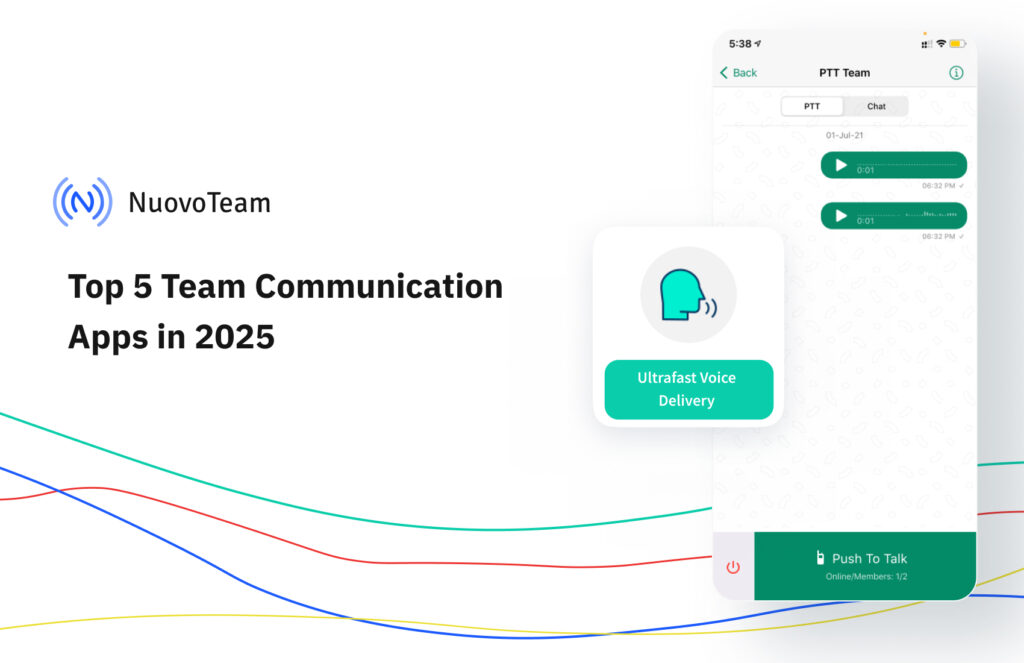
Top 5 Team Communication Apps in 2025
Teams nowadays are spread out. Some employees work from offices, others are on the go, and many are in different locations. Staying connected through email or calls is not enough anymore. That’s why more and more businesses are turning to team communication apps that help everyone stay updated and work together, no matter where they are.
A recent study from 2024 found that companies using these apps saw a 25% reduction in time spent on emails, a 30% improvement in team collaboration, and up to an 80% drop in information leaks. This kind of improvement can make a big difference in daily operations.
The right app can help teams move faster, avoid confusion, and stay in sync. In this blog, we have picked the Top 5 Team Communication Apps in 2025 that are easy to use, reliable, and built for modern business needs.
Why Do Businesses Need Team Communication Apps?
As businesses grow, so do their communication challenges. Teams work from different cities or even continents. Field employees need updates in real time. And managers need visibility without chasing updates.
This is where Team Communication Apps come in. They are not just chat tools, but they are centralized hubs for announcements, collaboration, alerts, files, task updates, and even integrations with other business tools.
Here’s why modern businesses rely on Team Communication Apps:
- Real-time messaging: Instantly connect with individuals or groups without relying on email.
- Task coordination: Assign, update, and track tasks directly from the communication app.
- Mobile-first access: Field teams and frontline workers stay updated on the go.
- Reduced communication gaps: Everyone gets the same message at the same time.
- Increased transparency: Managers can track communication flows, engagement, and issues.
The right Team Communication App, combined with a cloud telephony system, can also support compliance, data security, and integration with CRM, HR, and project tools, making them essential in 2025.
Top 5 Team Communication Apps for 2025
We evaluated several popular platforms based on features, user experience, scalability, and business relevance. Here are the Top 5 Team Communication Apps that stand out in 2025:
1. NuovoTeam
NuovoTeam is purpose-built for frontline and mobile workforces who need real-time, reliable communication beyond traditional texting or calls. Unlike typical chat apps, NuovoTeam combines secure messaging with enterprise-grade features like Push-to-Talk (PTT), employee location tracking, and even remote device control when integrated with an MDM solution. Its core strength lies in offering instant, secure communication for teams working in logistics, healthcare, security, field services, and retail, where fast decisions and coordination matter.
Its lightweight design and offline support make it perfect for environments with patchy connectivity. Plus, it removes the chaos of consumer messaging apps by offering dedicated business communication in a controlled, secure space.
Key Features:
- Push-to-Talk (PTT) for real-time walkie-talkie-style communication.
- Secure team chats with broadcast messaging.
- Employee tracking and attendance check-ins.
- Device lockdown and remote management.
- Works well even on low bandwidth.
Pros:
- Perfect for field teams and non-desk workers.
- Integrated with mobile device management (MDM).
- Supports Android, iOS, and rugged devices.
- Easy to deploy at scale.
Cons:
- The interface may feel too focused on field use cases for desk-bound teams.
Best For: Logistics, security, healthcare, warehousing, field services.
2. Connecteam
Connecteam stands out as an all-in-one mobile workforce management solution designed for deskless teams. It goes far beyond basic messaging by offering a unified platform for scheduling, time tracking, task management, and internal communication. Whether you are managing delivery personnel, cleaning staff, or retail associates, Connecteam helps bridge the gap between managers and their teams without requiring desk setups or laptops.
Its communication features include chat groups, organizational announcements, surveys, feedback forms, and training modules, all accessible through a single mobile-friendly app. This makes Connecteam a complete operations toolkit for field-first businesses.
Key Features:
- Chat groups, company updates, and 1:1 communication.
- Digital forms and checklists.
- GPS time clock and job scheduling.
- Training and onboarding modules.
- Surveys and polls for employee feedback.
Pros:
- All-in-one suite for employee management.
- Great mobile experience for field workers.
- No-code customization for workflows.
- Affordable pricing tiers.
Cons:
- It may feel feature-heavy for teams only seeking communication.
- Limited integrations compared to Slack or Microsoft Teams.
Best For: Retail, hospitality, security, construction, and small to mid-sized businesses.
3. Troop Messenger
Troop Messenger is a security-first communication platform designed for businesses where data privacy, role control, and regulatory compliance are top priorities. It supports secure messaging, video calls, and team collaboration features while giving IT teams extensive control through admin dashboards, usage logs, and permission settings.
Its standout feature? The ability to host it on-premise or in a private cloud, which is ideal for industries that can’t risk data leaving their network. Troop Messenger also includes advanced modes like “Burnout Chat” and “Forkout” to handle sensitive or broad communication needs efficiently.
Key Features:
- One-on-one and group messaging.
- Remote screen sharing and video calling.
- Burnout and confidential chat mode.
- Self-hosting and on-premise deployment options.
- Audit logs and admin-level controls.
Pros:
- Strong security and compliance features.
- Available in SaaS, on-prem, and private cloud.
- Customizable to specific business needs.
- Built-in productivity tools (reminders, read receipts, bookmarks)
Cons:
- The interface isn’t modern.
- It may be overkill for small businesses.
Best For: Government, IT companies, defense, and compliance-heavy industries.
4. Slack
Slack offers a flexible and highly intuitive environment for real-time collaboration. Known for its channel-based structure, Slack makes it easy to organize conversations by project, team, or topic. Teams can share files, jump on quick huddles, automate workflows with bots, and integrate nearly every popular SaaS tool from Google Drive to Jira.
Slack stands out due to its open ecosystem, mobile accessibility, and constant innovation like Slack Canvas for shared documentation. While it’s ideal for fast-moving, tech-savvy teams, it is now also adopted in regulated industries due to its enterprise-level security features.
Key Features:
- Channel-based messaging.
- Huddles (lightweight voice calls)
- Powerful search and file sharing.
- Integration with 2,000+ apps.
- Slack Canvas for collaborative docs.
Pros:
- Intuitive UI and mobile-ready.
- Excellent third-party integrations.
- Great for remote and hybrid teams.
- Strong community and support ecosystem.
Cons:
- Free tier has message limits and lacks admin tools.
- It can get noisy with too many channels.
- Enterprise pricing can be expensive.
Best For: Startups, tech companies, creative agencies, and hybrid teams.
5. Staffbase
Staffbase takes a unique approach by focusing on internal communications at scale. Rather than team chats, it emphasizes structured communication like corporate announcements, HR updates, and engagement campaigns. It is a good solution for organizations with thousands of employees across multiple regions and roles.
With a custom-branded employee app, built-in analytics, and role-based content targeting, Staffbase ensures that every employee, from factory workers to regional managers, gets the right message at the right time. It connects HR, communication teams, and operations, making it a powerful Team Communication App for keeping everyone aligned and strengthening company culture.
Key Features:
- Custom-branded employee app.
- News feed and announcements.
- Surveys, feedback tools, and event registration.
- Integration with HR systems and intranets.
- Role-based access and multilingual support.
Pros:
- Designed for enterprise internal communication.
- Great for top-down communication.
- High employee engagement tools.
- Focus on inclusivity and reach.
Cons:
- Not suitable for small teams or real-time back-and-forth chat.
- Setup and onboarding can take time.
Best For: Large enterprises, HR departments, internal comms teams, and global corporations.
6. Softr
Softr is redefining how teams collaborate by turning internal tools, client portals, and communication hubs into no-code web apps—built in minutes with AI. Whether you’re managing a distributed team or enabling cross-department collaboration, Softr lets you spin up customized communication portals that act as your team’s single source of truth. With native support for Airtable and Google Sheets, real-time data visibility, and user access control, Softr becomes more than a builder—it’s a lovable alternative to static messaging platforms.
Its AI App Generator allows anyone to create tailored tools just by describing them in plain English, eliminating the need for dev time or complex integrations. From HR dashboards to internal knowledge bases and team intranets, Softr adapts to your workflows while maintaining ease-of-use across devices.
Key Features:
- AI-powered app generation from simple prompts
- Custom communication hubs, portals, and internal tools
- Role-based access and authentication
- Seamless integration with Airtable, Google Sheets & more
- Fully responsive and mobile-ready
Pros:
- No-code setup with enterprise-level control
- Perfect for cross-functional collaboration
- Fast deployment for dynamic team needs
- Scalable for startups to large organizations
Cons:
- Not a traditional chat-first platform
- Some advanced use cases may require Airtable expertise
Best For: Internal teams, operations leads, HR, client services, and businesses seeking flexible, branded communication environments.
How to Choose a Team Communication App for Your Business?
Selecting the best team communication app for your business depends on your team’s size, work style, and daily needs. Look for features that match how and where your team communicates, whether in the field, at a desk, or across time zones.
Here’s what to consider before you decide:
- Who’s using it?
If your team works on the field or moves around a lot, you will need a mobile-friendly app with features like push-to-talk or location sharing. For desk-based or hybrid teams, chat and integrations may matter more. - What features do you need?
Some apps focus on real-time messaging, while others offer tools like surveys, checklists, file sharing, or scheduling. Pick one that fits your daily workflow, not just your wish list. - Does it work well on mobile?
Your team won’t always be on a laptop. Make sure the app works smoothly on smartphones and tablets even in areas with weak networks. - Can it connect with other tools?
If your team already uses platforms like Google Workspace, project management tools, or HR systems, go for an app that integrates well with those. - Is it easy to use and scale?
Look for an app that is simple to roll out across teams without needing too much training. Also, check if it can grow with your team size. - What about security and control?
If your business deals with sensitive data, make sure the app offers admin controls, user roles, and encryption to protect your information. - Does it fit your budget?
Some apps offer free plans with limits, while others charge per user. Compare pricing to make sure you are getting value without overspending.
Team Communication Is the New Operational Backbone
In 2025, team communication plays a central role in how businesses operate. With mobile teams, remote setups, and faster execution cycles, having the right team communication app becomes a key part of day-to-day operations.
From sharing quick updates on the field to aligning company-wide goals, these tools help businesses keep teams connected, informed, and focused. Choosing the right app isn’t just a tech decision; it is a move that can shape how your team works, responds, and grows.
Great communication is not a bonus anymore; it’s how business gets done. So choose your communication app wisely because it directly impacts how your team performs.
-
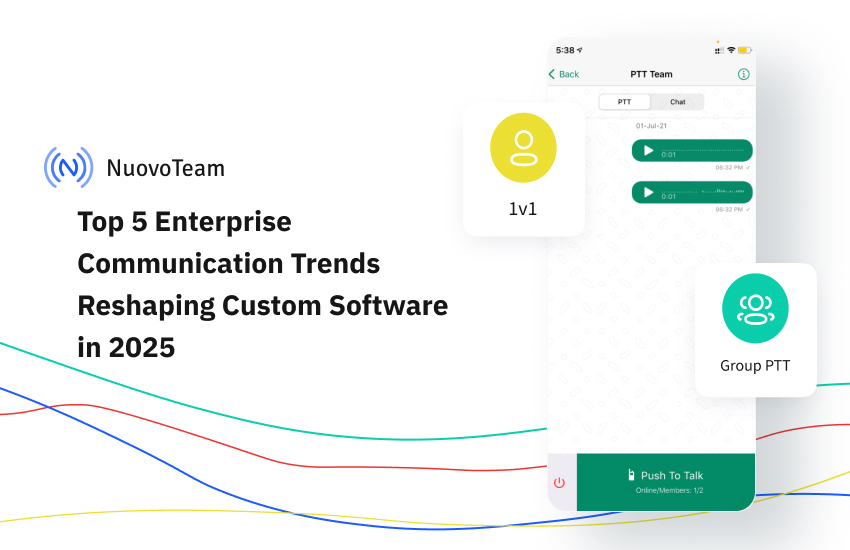
Top 5 Enterprise Communication Trends Redefining Custom Software in 2025
Communication at work has changed. Again. And if it feels like it’s changing faster than your team can keep up with, you’re not alone.
In 2025, the way we talk, share, and collaborate at work is no longer about just being connected—it’s about being effective. And that shift is putting pressure on how custom software is built. It’s not just about features anymore. It’s about how people use them together.
More IT services companies are rethinking communication as a core part of their custom software offerings—not just a layer, but the framework itself.
Here are five communication trends quietly reshaping the way custom software development companies gets designed, built, and adopted in the enterprise world.
1. Teams Expect Tools That Speak Their Language
Not literally—but close. Teams today don’t want generic messaging tools that treat everyone the same. A marketing team and a product engineering team don’t operate the same way, so why should their communication tools?
This shift is driving demand for custom platforms that adapt—to roles, routines, and even preferences. This encourages many to explore how to create an app like Slack for better collaboration and flexibility. In the realm of market-making software development, interfaces that feel cluttered to one team might be just right for another. Custom software is being built to flex, not force.
Bottom line? Smart personalization isn’t just a nice touch—it’s becoming table stakes.
2. AI Isn’t Just Helping, It’s Filtering the Noise
You’ve probably seen it already. Meeting notes showing up without anyone typing them. Chat threads summarized before you even scroll. You can explore how AI-driven tools enhance long-term planning too—check out our ai retirement calculator for dynamic forecasting that complements this AI-powered efficiency. That’s AI—quietly becoming the teammate who never misses a detail. From drafting emails to creating AI-generated videos for marketing, it’s becoming part of everyday workflows.
It’s not about artificial intelligence (AI) for its own sake. It’s about solving a real problem: information overload. The kind that slows down decisions and buries what’s important.
Custom platforms in 2025 are being built with baked-in intelligence—from conversational AI chatbots that answer queries in real time to systems that pull out what matters and ignore what doesn’t. Behind this seamless experience is often an AI software consultancy that aligns machine learning models, data pipelines, and business logic to solve real problems. When done well, the technology fades into the background—and the product just feels… effortless.
3. Communication Isn’t a Separate Tab Anymore
The days of “Do the work here, then talk about it there” are fading. The modern workflow doesn’t have time for that kind of app-switching.
In the best custom software today, communication is built into the workflow—not stacked on top of it. Think: commenting directly on a line of code, logging an issue via voice while in the field, or approving a budget within a chat window. Alternatives to Vibe coding tools are also aligning with this trend, blending development and communication in a single seamless environment.
This isn’t just efficient—it’s frictionless. And it’s becoming the new normal.
4. Security Is No Longer Invisible and That’s a Good Thing
Between tightening privacy laws and rising cyber threats, communication tools can’t afford to be casual about data anymore.
Encrypted messages. Controlled file sharing. Logged conversations. What once lived quietly in the background is now a visible part of the user experience—especially for industries where compliance isn’t optional.
Developers building for 2025 are taking note. Security is no longer something you bolt on. It’s part of how the product communicates trust from the first interaction.
5. Voice Is Back (and Not Just in Meeting Rooms)
Push-to-Talk features aren’t new. But their return is surprising—and smart.
In logistics, retail, manufacturing, and field service roles, there’s no time to tap out messages. Teams are turning back to voice, but with modern upgrades: offline support, auto-transcription, even voice recognition tied to secure identities.
For developers, this means rethinking UX for moments when hands are full or screens aren’t practical. And it’s bringing voice-first design back into serious consideration.
Communication Is Becoming the Framework—Not Just a Feature
It’s easy to think of communication tools as chat boxes or call buttons. But for enterprises in 2025, communication has become the backbone of productivity—and custom software is adapting to reflect that.
The smartest platforms today don’t just support communication. They are the communication.If you’re building or evaluating custom tools this year, the question isn’t just “Does it work?”
It’s “Does it connect the people using it—in ways that actually make sense?” -
Why Collaboration Tools Are Essential in Modern Accounting
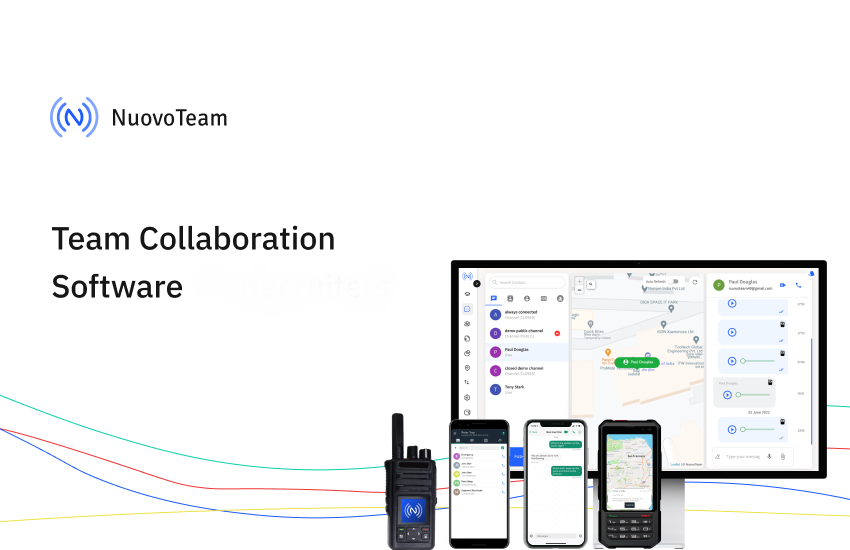
In this world full of businesses around us, accounting as a main sector has evolved due to the advancement of technologies. And the biggest and most important change is the collaboration tool. Yes, collaboration tools have changed the way organizations work, and all professionals work, and it even saves the time of an individual.
So in this blog, we will explore what are the benefits of these collaboration tools in this modern world of accounting and why is it important to use collaboration tools.
1. Improved Communication
Communicating clearly and effectively is very important in the accounting area. Collaboration tools have a platform that allows you to easily communicate in a particular period. There are various kinds of business tools for startups such as Slack, Microsoft Teams, and Zoom, which have features for messaging, video calls, meetings, sharing files, and much more.
- Instant Messaging: Using instant messaging, team members can quickly ask questions and receive answers without the delay of emails. This speeds up decision-making and problem-solving.
- Video Conferencing: Face-to-face meetings can be held virtually, allowing for more personal interaction, which can be important for discussing complex financial issues.
- File Sharing: Important documents can be shared instantly, ensuring everyone has access to the most up-to-date information.
2. Enhanced Collaboration
Collaboration is an essential aspect of accounting service, especially in leading IT companies. Teamwork plays a crucial role in generating reports, conducting audits, managing financial aspects, and more. With the help of collaboration tools, the entire team can work together and discuss important matters, even when located in different cities, states, or countries. This seamless communication enhances efficiency and ensures that all team members are aligned, regardless of their geographical locations.
- Real-Time Editing: Tools like Google Drive and Microsoft OneDrive, along with AI and machine learning tools, allow multiple people to work on the same document simultaneously. These technologies enable real-time collaboration, automate error detection, and enhance document consistency by learning from editing patterns and user behavior.
- Task Management: Platforms such as Jotform Boards and Trello help teams keep track of tasks and deadlines. This ensures that everyone knows what they need to do and when it needs to be done, improving overall productivity.
- Time Tracking: Tools like actiTIME support collaboration by giving teams a shared view of how time is spent on tasks and projects. This transparency helps team members stay aligned, coordinate work more effectively, and avoid misunderstandings around responsibilities and progress.
3. Increased Accuracy and Reduced Errors
Manual methods tend to lead to mistakes, which can be expensive in the area of accounting. Collaboration tools, along with AI checkers, assist in decreasing these misconceptions by automating multiple examinations and delivering bills and proportions.
- Automatic Estimates: Pawns like QuickBooks and Xero function measures automatically, facilitating the chance of human error.
- Mistake Warnings: These tools often contain features that warn users of possible mistakes, such as differences in economic data, providing problems can be handled promptly.
4. Streamlined Workflow
Collaboration devices help simplify analysis workflows, making processes more efficient and less time-consuming. This is especially beneficial for IT companies, as it enhances teamwork, streamlines operations, and boosts productivity.
- Integrated Systems: Multiple collaboration tools combine with other accounting software, such as invoice generators and best accounting software. This integration permits seamless data transfer, decreasing the requirement for manual information entry and preserving the period.
- Centralized Announcement: All needed communication and documents can be kept in a central location, available to all team partners. This makes it more straightforward to see and reference announcements, lessening uncertainties and chaos.
5. More useful Customer Relations
For accountants who perform with numerous customers, cooperation mechanisms can enhance customer relations and fulfillment.
- Customer Outlets: Multiple accounting software schedules contain customer outlets where consumers can access their monetary transmission, upload records, and convey with their accountants. This clarity assembles faith and makes it more leisurely for clients to remain educated about their finances.
- Protected Transmission: Collaboration tools offer safe communication media, providing that tactful economic announcement is rescued. Using modular email design as a collaboration tool goes beyond just email creation—it enables teams to work together more effectively, with clearer roles, reusable assets, and faster execution. Generate a professional email signature to maintain credibility in client communication. This is essential for keeping client confidentiality and faith.
6. Remote Work Capabilities
The COVID-19 pandemic has stressed the significance of being able to function remotely. Collaboration tools have constructed it potential for accountants to resume their jobs without interruption, yet of their material establishment. This even enables you to more easily hire remote accounting professionals in various geographical locations — for example, your company might be based in Europe but you may also hire in the US.
- Cloud-Based Solutions: Cloud-based accounting software and cloud-based attendance software allows accountants to access economic data and cooperate with group associates from anywhere with an internet link. Salesforce marketing cloud services provides a robust suite of tools that strongly support remote work capabilities, particularly for marketing teams. This flexibility guarantees that results can restart even in problems where the in-person profession is not likely.
- Virtual Meetings: Tools like Zoom and Microsoft Teams have made it easy to hold virtual meetings with clients and team members, ensuring that communication remains open and effective. AI Meeting Recorders capture and organize all vital meeting details, ensuring nothing is overlooked in collaborative financial tasks.
7. Improved Decision Making
Access to real-time data, efficient data entry services, and the ability to collaborate easily, combined with finance automation, enables accountants to make faster and more informed decisions by streamlining complex financial analyses.
- Real-Time Data: Collaboration tools provide access to up-to-date financial information, which is crucial for making accurate financial decisions.
- Analytics and Reporting: Many tools include advanced analytics and reporting features, providing insights that can inform strategic decision-making. Moreover, a QR code generator can streamline payments and enhance financial data access.
8. Cost Savings
Investing in collaboration tools can lead to significant cost savings for accounting firms and their clients.
- Reduced Travel Costs: Virtual meetings and remote work capabilities reduce the need for travel, saving time and money.
- Efficiency Gains: Streamlined workflows and automated processes increase efficiency, reducing the amount of time and resources needed to complete tasks.
9. Enhanced Security
Security is a major concern in accounting, where sensitive financial information must be protected. Collaboration tools offer robust security features to safeguard this data.
- Encryption: Many collaboration tools use encryption to protect data both in transit and at rest, ensuring that sensitive information cannot be accessed by unauthorized parties. A free citation audit tool can also help businesses fix listing errors, strengthening digital presence and reliability.
- Access Controls: These tools often include features that allow administrators to control who has access to specific information, ensuring that only authorized individuals can view or edit sensitive data. By incorporating data pipeline ETL, organizations can efficiently process and manage data access across multiple systems, ensuring seamless integration while maintaining security and compliance.
10. Scalability
As businesses grow, their accounting needs become more complex. Collaboration tools are scalable, meaning they can grow with your business.
- Scalable Solutions: Cloud-based tools can easily be scaled up to accommodate more users and larger amounts of data, ensuring that your accounting processes can keep up with your business growth.
- Customizable Features: Many collaboration tools offer customizable features that can be tailored to meet the specific needs of your business, ensuring that you have the tools you need to succeed. For example, you may use AI for AI-generated logos for your business, giving you the necessary accessibility for customization and grow your business quickly. A logo maker powered by AI is a great example, helping you design unique branding elements in just a few clicks.
Conclusion
To conclude, in this modern world of accounting and technology collaboration tools really play a very important part in every business industry. It has multiple benefits for every individual, it helps for better communication, it enhance the accuracy of the work, and creates a good relationship with your clients.
All of these collaboration tools also help the person to work from any place at any time just with the Internet. Investing in these tools in any business the professional or any particular individual can work very smoothly, and the cost can also be reduced. Embracing these tools is not just a trend but a necessity for staying competitive and providing the best possible service to clients.
-
Why is Team Collaboration Software an Essential Tool for Recruiters?
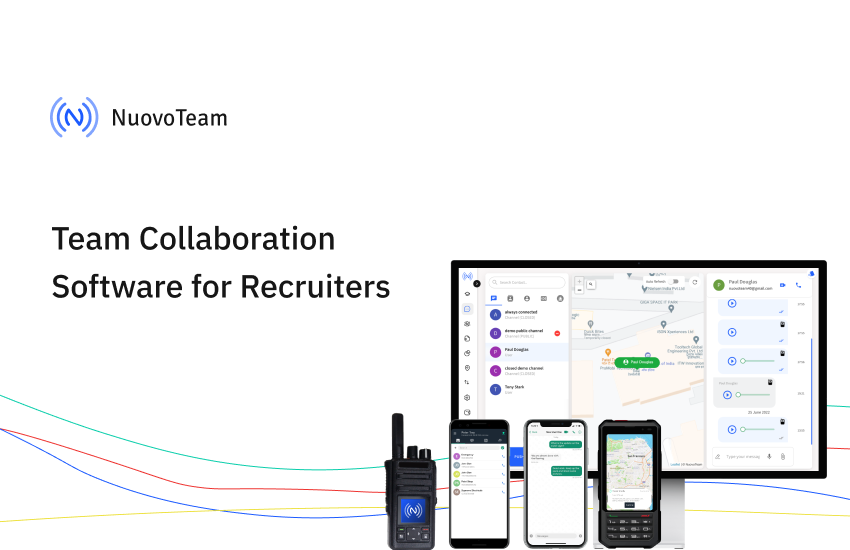
We all know that effective communication and efficient team collaboration are crucial to running any business. It defines the success of any organization.
Well, the recruitment industry is no exception. Clear communication between the recruitment team and harmonized collaboration among all stakeholders (HR, recruiters, and hiring managers) involved in the process determines the quality of the hiring workflow.
So, one thing is crystal straightforward: without effective communication and collaboration software tools, misunderstandings will arise, which will lead to delays in the recruitment process and poor candidate experiences.
But wait a minute! How can recruiters and hiring managers collaborate smoothly and make informed and data-driven hiring decisions?
The answer is way too simple: By using modern technology like team collaboration software.
Do you want to know more?
Then, dive deep into this comprehensive blog to learn how team collaboration software can modernize your recruitment methods and streamline the end-to-end hiring process, allowing you to secure top talent faster than your competitors.
What is Team Collaboration Software?
Team collaboration software is a software application or a digital tool designed to facilitate communication, coordination, and collaboration among team members within an organization.
Such HR software development solutions generally offer a combination of features and functionalities that will let the users interact, share information, allocate and manage tasks, and work together on different projects regardless of their geographical locations or time zones.
Often, team internal tools include common features such as instant messaging, task management, video conferencing, VoIP calls, file sharing, document collaboration, project tracking capabilities, etc.
You must be wondering how this collaborative tool helps in recruitment, right? To understand that, you first need to know how collaborative recruitment works.
So, let’s start with that first.
How Collaborative Recruitment Works?
Collaborative recruitment involves implementing the collective approach and resources of multiple stakeholders, including recruiters, sourcers, hiring managers, team members, and even external partners, to find, attract, engage, and hire top candidates effectively using great online tools, such as AI Recruitment Software or other digital tools—particularly useful when organizations aim to hire AI developers for innovative tech roles.
The primary goal is to keep communication and collaboration central.
From creating and determining job requirements, evaluating applicants, and making a job offer, team members collaborate closely throughout the recruitment process.
How can technology for talent acquisition help with it? You may be thinking, right? Together, let’s see how and why team collaboration technology should be used in the recruitment landscape.
Why is Team Collaboration Software a Vital tool for recruiters?
Here are some of the key reasons that team collaboration tools have become a must-have tool for recruiters and hiring managers.
1. Simplify Communication
We are all aware that smooth recruitment requires constant communication between recruiters, hiring managers, other team members, and candidates.
Here, team collaboration software becomes a lifesaver by providing a centralized platform where all communication can occur in real time.
As a result, the need for lengthy email chains or phone calls will be eliminated.
Also, it ensures everyone is in sync in the hiring tracking process and gets updates on the latest developments.
2. Improve Coordination
An accurate level of coordination among team members is very important in recruitment to ensure different hiring tasks are assigned, deadlines are fulfilled, and constructive feedback is provided on a prompt basis. Recruiters with PMP Certification can bring a structured approach to managing these tasks, ensuring that the recruitment process runs smoothly and efficiently. Implementing a robust customer feedback tool can further streamline communication and enhance the effectiveness of the recruitment process.
Collaboration tools play a key role here by offering features such as task assignments, shared calendars, and project and task tracking.
This way, recruitment professionals can easily coordinate efforts. It reduces the risk of miscommunication or missed opportunities during the talent acquisition process.
3. Enable Seamless Collaboration
Staffing or recruiting agencies have to communicate with clients and cross-functional teams about suitable candidates on a regular basis.
It demands smooth team collaboration, right? But how can you do it? The answer lies in the features of team collaboration software.
It allows for seamless collaboration by offering an all-in-one platform where all the team members can share documents, exchange notes and feedback, and collaborate on projects in real time.
It fosters a collaborative work environment and makes sure each team member is working toward the exact goal of finding and acquiring top-tier talent.
4. Improve Candidate Experience
Candidate experience is an essential parameter for every hiring professional.
Why? Because it simply boosts your employer’s brand value, which will help you attract top candidates without even reaching out to them.
For that, recruiters constantly need to maintain effective communication with candidates.
By using a team collaboration system, recruiters and HR can provide timely updates to talent and answer their questions faster.
Candidates will not feel ghosted, and it will enhance the overall applicant experience and reflect positively on the employer’s reputation.
5. Increase Overall Efficiency
We all are aware that time is of the essence in recruitment.
Also, talent acquisition experts are trying to reduce the hiring time, so candidates will not accept another job offer due to the lengthy process and hiring workflow at your organization.
Inefficiencies in communication or coordination can generating lead to delays in hiring, which will lead to the abovementioned consequences.
But, thanks to team collaboration software!
It streamlines workflows, automates repetitive and manual tasks, and provides visibility into your recruitment process, and forward-thinking teams often build internal tools on top of it to tailor the experience to their unique hiring workflows.
Consequently, it increases recruiters’ efficiency, reduces time-to-fill, and allows them to focus on higher-value activities that require critical thinking and a human approach, such as sourcing and engaging with top talent. Additionally, integrating sales coaching software can help recruiters develop advanced persuasion and engagement techniques to better sell opportunities to candidates.
6. Adapt to Remote Work
Remote work has become a new norm. Hence, this rise of remote work has made collaboration software indispensable tech for recruiters.
Suppose talent acquisition team members are working from different locations or time zones. In such instances, team collaboration software plays a vital role in ensuring seamless communication, task management, and even remote onboarding of new hires.
Features like video conferencing, instant messaging, and file-sharing enable virtual meetings and connect remote teams so they can be more productive.
7. Enhance Event Management Capabilities
Event management software is also an invaluable asset for recruitment processes within talent acquisition teams.
Whether it’s organizing virtual job fairs, coordinating large-scale hiring events, or managing recruitment webinars, effective event management tools integrated into collaboration software provide the necessary features to plan, execute, and monitor events seamlessly.
With the increasing importance of events in modern recruitment strategies, leveraging collaboration software with robust event management capabilities becomes essential for recruiters to maximize their reach, engagement, and success in attracting top talent.Due to the above benefits, team collaboration software is a must-have technology in recruiters’ decks. It enables them to streamline the communication process, enrich coordination, foster seamless collaboration, improve applicant experience, expand efficiency, and adapt to remote work environments.
If you leverage this tool, then you can optimize your entire recruitment process and make better hiring decisions.
Eventually, it will drive organizational success.
Future Trends in Team Collaboration Software for Recruitment
In the future, team collaboration software is likely to focus on integrating advanced AI and machine learning technologies to improve the way recruiters source candidates.
Such modern innovations will offer predictive recruitment analytics to find the best candidates and automate repetitive tasks.
It will help recruiters concentrate more on strategic decision-making and building positive relationships.
Recruiters will leverage virtual reality (VR) and augmented reality (AR) technologies to provide immersive job previews and interviews for a better talent experience.
Why is NuovoTeam the Best for Recruiters for Team Collaboration?
NuovoTeam, a PTT app, offers highly scalable features are designed to support team collaboration for recruitment professionals and remote employees.
You will get features like a real-time communication portal, task distribution, and progress tracking across locations.
This way, your end-to-end communication streamlines with a single platform.
All organizational needs, like file sharing and a unified contact book. Also, no training is required for platform adoption because its interface is easy to use.
Consequently, it gets easier for recruiters to manage and collaborate with their teams efficiently, especially those in the field.
The overall productivity and engagement will be enhanced through its comprehensive communication tools.
Want to leverage the benefits you witness above? Want to know more about how it can help you? Then get a product tour now.
So, are you ready to streamline your end-to-end communication and collaboration with NuovoTeam?
-
8 Things Professional Push-To-Talk Services Can Do
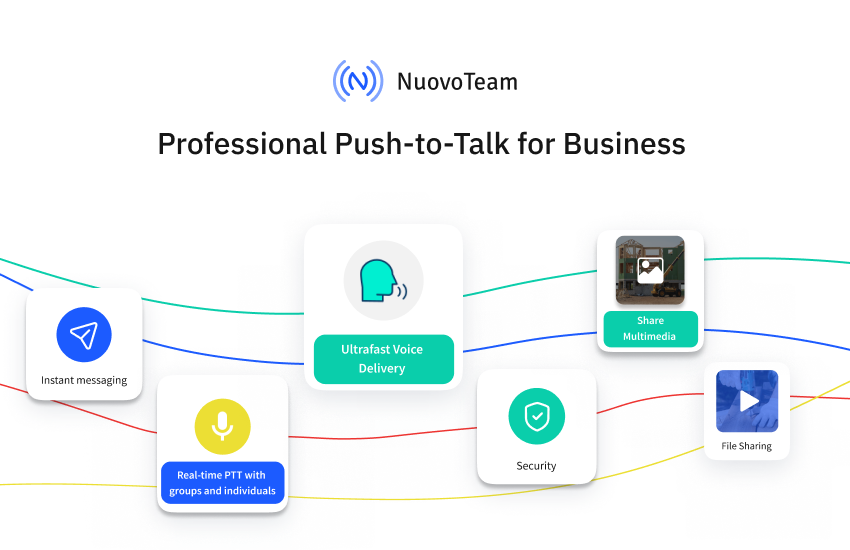
Ever heard of push-to-talk services (PTT)? It is the mechanism used by popular two-way radios like traditional walkie-talkies wherein a user simply needs to press a button to transmit the message. No complex dialing or typing procedures are involved. This PTT technology has evolved over the years to support businesses with their modern requirements, and we have today what we call the Push-to-Talk (PTT) apps or walkie-talkie apps. But are these the same push-to-talk apps that children use to pretend-play or teenagers use to go camping with? Certainly not. While those push-to-talk or walkie-talkie apps are meant for personal use, there are powerful professional push-to-talk services designed to support various industries’ field communication needs.
What Is a Professional PTT App?
A professional push-to-talk app is a software designed to help businesses turn their smartphones into walkie-talkies. It is a reliable and cost-effective way to enable the field and frontline workforce to stay connected through long distances and harsh terrains. This software can be downloaded on employees’ smartphones like any other mobile app, and it generally has a centralized command console that can be used by the supervisors and managers situated in the headquarters to gain visibility of their remote workforce and stay in touch with them on the go. For businesses looking to develop such an app, partnering with top software development companies can ensure high-quality and efficient solutions.
It presents a fast and secure mode of communication for employees working in noisy and rugged outdoor environments. Employees can leverage instant connectivity with anyone, anywhere with just the press of a button using professional PTT apps. And unlike traditional walkie-talkies, professional PTT apps do not rely on radio networks, they function over cellular networks to offer high-quality communication over long distances. Businesses can save money on purchasing dedicated walkie-talkie radios and the associated licenses and permissions.
Here Are 8 Things Professional PTT Services Can Do For Your Business
It’s a given that professional PTT apps work on the PTT over cellular (PoC) networks enabling them to cater to modern-day business communication needs. Businesses can bring their dispersed teams closer through instant communication while prioritizing aspects such as employee safety and data security with PTT apps. This is why these apps differ considerably compared to other communication modes, including cellular phone calls, radio-based PTT calls, emails, etc.
Discover 8 things professional PTT apps offer:
1. Centralized Dashboard
Professional PTT apps, software designed to help businesses, extend a comprehensive dashboard that acts as your command and control center. It empowers supervisors and managers to gain visibility of their remote teams and stay connected with them on the go. You can track employee locations, monitor attendance and working hours, and gain a broad overview of your team’s performance with summaries and analytics.
Administrators can manage employees, assign role-based access control (RBAC) to grant permissions to users based on their roles and define settings and restrictions for various users and teams using the dashboard.
2. Desktop PTT
Most professional PTT app providers understand that supervisors managing field workforces often operate from distant office locations. While using the PTT app on smartphones makes communication seamless for field employees, constantly switching between a desktop and a smartphone can be tedious for supervisors. Integrating remote employee monitoring software can help streamline communication, providing real-time insights into employee activities and ensuring efficient workforce management.
3. Group Communication
The ability to easily add and remove users or create specific public or private channels can make remote communication a breeze. Professional push-to-talk services allow you to create multiple open or closed channels for team-focused communication. You can create groups or channels based on your employees’ locations, departments, hierarchies, project requirements and much more.
4. Crisis Communication
When working in hazard-prone outdoor environments, emergencies must be considered. Businesses must not overlook or undermine the importance of empowering employees with a crisis communication plan. Professional PTT apps are ideal for helping employees save time in communicating crises and obtaining help faster. You can create SOS channels and alerts to notify the crew members and control centers for a speedy response.
5. Corporate Directory Integration
When working remotely, communication does not end with the mere involvement of your team. Employees, especially the deskless workforce, are required to connect with various business verticals to collaborate on umpteen tasks throughout the day. Hunting for phone numbers, navigating complex processes to fetch contact details, and grappling with inefficient SOP software can result in lowered productivity and lost time. Professional PTT apps, enhanced with SOP Software integration, allow businesses to streamline their operations by integrating their corporate directories with the software. This integration ensures that employees can easily access business contacts and follow standardized operating procedures, enhancing overall efficiency and collaboration.
6. MDM Integrations
The number of software and tools used by modern businesses cannot certainly be counted on one hand. With enterprise mobility shaping the business world, enterprises use a plethora of tools such as mobile device management (MDM) software to keep their operating efficiency soaring. Professional PTT apps allow businesses to integrate powerful MDM solutions of their choice with the PTT platform and use them to distribute the PTT app silently to their remote employees’ devices. It adds convenience, speed and simplicity to the enterprise’s IT chores.
7. Encrypted Communication
The walkie-talkie radios used back in the day were widely popular because of their ease of use. But one of the greatest drawbacks of radio communication was the lack of security – a factor that is impossible to compromise on today. With the numerous security threats lurking around, communication methods also need to be secure enough to prevent corporate data loss. PTT apps offer secure and encrypted communication and use cellular networks that cannot be easily intercepted by hackers or strangers.
8. PTT Archives
Deskless workers lack the privilege of working in quiet and secure office spaces. They are almost always on the go, engaged in heavy-duty tasks in noisy environments. It is unrealistic to expect a worker manning heavy equipment and sporting bulky protective gear to answer a phone call or text message. Eventually, these missed calls and unanswered messages create information silos that hamper work efficiency and leave employees feeling disengaged. Professional PTT apps allow users to access PTT histories and replay past PTT messages to ensure no update goes unnoticed.
Closing Lines
Simply picking a walkie-talkie app for your deskless workforce is not enough. Making an informed choice about opting for the right tool that caters to your business needs is what makes a difference. NuovoTeam is a professional PTT app for Android and iOS that offers businesses extensive features to streamline their field and frontline communication.

-
Converse with Confidence: 6 Push-to-Talk App Mistakes to Avoid
The push-to-talk (PTT) technology has supported field and frontline communication for decades. Construction, mining, warehousing, emergency services, logistics, and transportation are some examples of remote industries that have seldom relied on popular modes of communication, like phone calls and emails. These industries have always preferred the simplicity and speed delivered by push-to-talk devices.
With time, traditional push-to-talk has evolved into smart push-to-talk that offers reliable communication and a highly functional feature set for employees to stay connected from anywhere. Unlike traditional PTT radios that presented coverage restrictions and poor audio quality, smart PTT allows users to download a mobile app on their smartphones to turn them into walkie-talkies. Smart PTT functions on push-to-talk over cellular (PoC) help employees connect with anyone nationwide or worldwide with just the press of a button.
Considering the immense benefits that smart PTT apps bestow on modern businesses, it does not come as a surprise that several businesses are rapidly adopting these tools. But to make the most of modern technology, it is vital that businesses understand the challenges and ensure proper usage. Security and privacy, for example, are non-negotiable in the modern business world.
Businesses worldwide are taking huge measures to protect their data and privacy. There are legislations across the world that enforce data security and privacy like the GDPR, HIPAA, and PDPA. With so much emphasis on security, businesses act carefully before picking their modern business tools.
6 Common PTT App Mistakes that Threaten Your Conversation Security
1. Picking an Unsecure PTT App
Smart PTT apps are more reliable and secure than traditional PTT radios since they use encrypted cellular networks. However, with the growing cybercrime, no amount of security is too much. Picking an informal PTT platform that does not do much to secure communication may be a terrible idea in this age. The fewer layers of security, the easier it is for hackers to intercept your sensitive business communication.
How NuovoTeam helps: NuovoTeam offers 128-bit encryption on all the communication that takes place from the platform. This, paired with an encrypted cellular network, offers extra protection against eavesdropping.
2. Avoiding Password Protection
Field employees can get a little negligent when using smartphones as walkie-talkies. Especially if they are their personal smartphones. Protecting every device that stores business information is essential to prevent sensitive information and private conversations from falling into the wrong hands.
How NuovoTeam helps: NuovoTeam allows admins to enforce a passcode policy on their employee devices. The passcode policy ensures that your employees maintain a strong password and renew it regularly.3. Not Exploring RBAC
Businesses that have distributed teams and large workforces need better control of their devices, employees and policies. Large organizations entrust their IT staff to configure devices, push corporate policies, and monitor the remote workforce. Assigning specific roles and permissions to supervisors goes a long way in streamlining control and management of the distributed workforce. This is where role-based access control or RBAC comes into the picture. Additionally, understanding the cost to develop an app that includes RBAC features is crucial for budgeting.
How NuovoTeam helps: NuovoTeam allows the super admin to create multiple admins and assign permissions based on their roles. With this, limited people within the organization have access to the backend console of your PTT app and can better define rules that align with the organizational requirements.4. Neglecting Closed Group Communication
Smart PTT apps enable easy group communication. You can conduct barge calls for organization-wide broadcasts or connect with multiple people on a PTT call. Picking the right method of communicating information according to the sensitivity of the matter is crucial. Broadcasts are heard loudly by everyone within the earshot. If you relay sensitive information using broadcast channels, it may be the easiest way to leak your corporate information.
How NuovoTeam helps: NuovoTeam allows businesses to create multiple public or private channels for group communication. The private channels strictly involve the concerned employees. With this, all confidential information is kept private within a specific encrypted loop.
5. Not Using Tools to Control Smartphones
Modern-day business processes cannot be restricted to a single platform. Third-party integrations play a huge role in business success. Picking a PTT solution that offers easy third-party integrations with your favorite platforms can help simplify your management and streamline your corporate security measures.
How NuovoTeam helps: NuovoTeam allows businesses to integrate an MDM solution of their choice to simplify the deployment, management, and security of PTT apps. Integrating MDM solutions have massive security advantages for businesses. You can leverage MDM-enabled kiosk mode to turn employee devices into dedicated walkie-talkies, and you can push extensive security settings and restrict device usage to selective secure apps and websites.
6. Underestimating a Contingency Plan
Today’s security models cannot rely on security features alone. Your business needs to implement a solution that provides real-time insights, analytics, and alerts, something a reliable app development company can help you build to help you stay vigilant and take corrective measures to ensure minimal disruption.
How NuovoTeam helps: NuovoTeam offers admins comprehensive analytics based on the employee locations, clock-in & clock-out details, and attendance. You can also configure geofence-based clock-ins and clock-outs to track their activities remotely.
Closing Lines
Are you ready to implement a smart PTT solution? Make sure to avoid the above-mentioned mistakes. Securing your private conversations isn’t only about picking a feature-rich platform, but also ensuring that your processes are stringent and employees are well-aware of the security best practices.